
Director of Product
Most labs start looking at automation because the work keeps backing up. Samples wait between steps, instruments sit idle, and staff spend too much time moving things instead of analyzing results.
Lab automation reduces manual handoffs to optimize workflows and keeps work moving. When it’s designed and applied correctly, automation helps labs handle growing workloads, maintain reproducibility, and adapt to changing workflows without slowing down.
Lab Automation Runs the Workflow, Not Just the Robot
Lab automation provides the most benefits when it controls the full workflow. If it automates a single task but still depends on people to keep things moving, it falls short.
In most labs, automation covers familiar tasks like sample transfers, plate handling, and instrument loading. The real difference is how well these steps are connected. Automated instruments can only help so much if your lab technicians must manually perform tasks between them. And in 2026 and beyond, this can mean falling behind other labs.
Core Elements of a Laboratory Automation System
A modern laboratory automation system has three core parts:
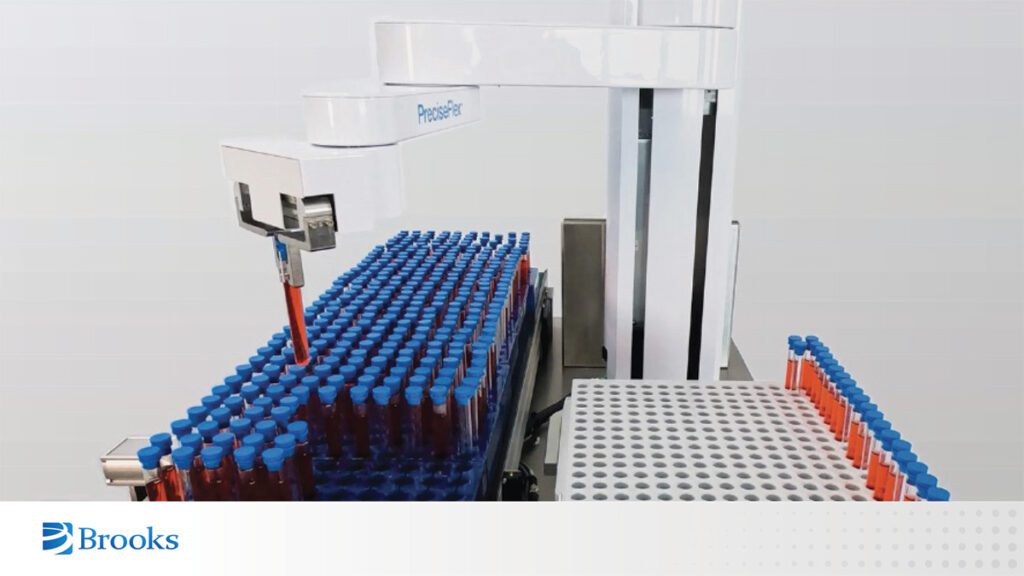
- Physical handling: Robots or “movers” to move plates, tubes, and racks between instruments and storage.
- Scheduling and sequencing software: Software controls the order of steps and manages dependencies.
- Data connectivity: Sample IDs, barcodes, and results stay linked throughout the workflow so nothing gets lost or mixed up.
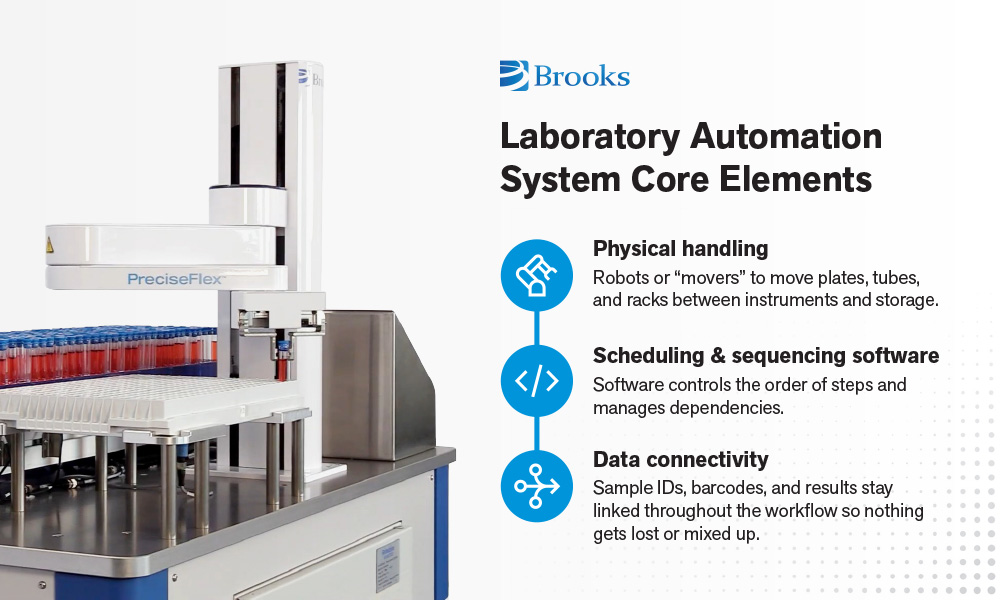
The more effectively the three core lab automation pillars are integrated and applied, the more successful the automation system.
Why Workflow Control Matters
The real value of automation comes from removing handoffs and idle time. When automation moves samples between steps, instruments wait less and samples move smoothly from start to finish.
Here is a simple test: if the system stops working when people step away, it is not fully automated. Automation should keep workflows running through breaks, shift changes, and overnight runs.
Modern lab automation focuses on the entire workflow, not individual instruments or disconnected processes. A system that keeps the whole process moving is what turns automation into real operational value.
Automation Delivers Consistency and Walkaway Time
The value of lab automation is realized when workflows keep running reliably without constant staff attention. Uptime and walkaway time matter more than the number of automated tasks.
Labs that automate well tend to see the following gains:
- Higher instrument utilization: Automation reduces idle time by keeping instruments supplied instead of waiting for manual transfers.
- More predictable throughput: When steps follow a set sequence and timing, output becomes easier to plan across days and weeks.
- Fewer manual transfer errors: Automated handoffs reduce missed steps, misplaced samples, and identification mistakes.
- Stronger sample traceability: Each move and action is logged, which keeps samples and results linked from start to finish.
- Greater process reliability: Automation runs the same way every time, which strengthens data confidence, supports audits, and protects lab credibility.
These benefits appear quickly because automation improves daily work, not just peak workloads.
Walkaway Time as a Real Outcome
One of the clearest signs that automation is working is increased walkaway time.
- Walkaway time increases when automation handles the manual steps between automated instruments
- The biggest gains come from removing human bottlenecks between multiple instruments, not just automating single devices. This is particularly important for automation in environments with heavy workloads.
- Reliable walkaway time lets staff step away without losing throughput or data quality.
This is how labs run longer stretches without constant attention, including overnight or during shift changes. Likewise, walkaway time lets your staff apply their knowledge where it matters the most. With people using their experience to figure out what needs to be done and machines actually doing the repetitive motions, your lab can take on more work and excel.
An example of this comes from a project with Precision Diagnostics, where Brooks and Arimation Robotics helped improve walkaway time in a compact lab workflow. The lab used two PreciseFlex 3400 robots to automate routine sample handling between instruments, which previously required frequent staff intervention.
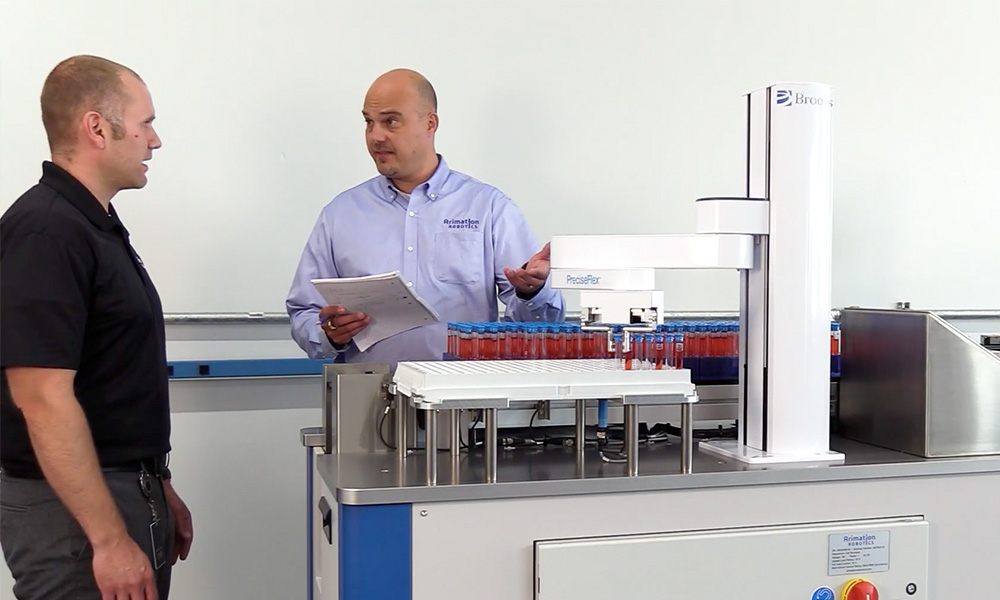
As a result, the staff were able to step away from routine transfers and focus on higher-value tasks. Read the full case study here.
How Automation Shapes Daily Work and Where It Can Break Down
When automation supports the full workflow, staff roles shift in practical ways. Staff spend less time on routine movement and more time on work that requires judgment and experience.
That shift usually looks like this:
- Less time spent on repetitive handling, transport, and staging
- More time spent on analysis, troubleshooting, and oversight
- Better use of skilled staff without adding headcount
Problems appear when automation focuses on individual devices instead of the full process. A common situation is a lab with multiple automated instruments but manual transfers between them.
In those cases:
- Samples wait between steps
- Instruments finish runs and sit idle
- Walkaway time drops even though each device is automated
While discrete instrument automation is better than no automation, disregarding what occurs between automated equipment misses out on what today’s automation can deliver. Modern lab automation avoids this by treating the workflow as a connected system.
Legacy Automation Collapses Under Change
Legacy automation technology works only as long as workflows stay the same. When workflows change, these systems become costly and hard to adapt.
Many traditional automation setups were built around a single assay or narrow task. That approach can work in stable, high-volume environments, but it breaks down when labs need to adjust how they operate.
Common weaknesses include:
- Fixed layouts built around single assays
- Heavy custom framing
- Multiple loosely integrated control systems
- Large work envelopes that consume valuable lab space
These systems work well only when nothing changes. In modern labs, change is constant. Assays evolve, instruments are upgraded, and layouts shift to support new workflows or higher throughput.
When automation resists change, the cost shows up quickly. Even minor adjustments can require downtime, revalidation, or outside engineering support. Over time, this leads to higher operating costs, longer interruptions, and slower response to demand.
Legacy automation fails because it was built for a world where workflows remained static. Labs need automation that can absorb change without breaking or slowing everything down.
Modular, Space-Dense Automation Fits Real Labs
Labs succeed with automation that can be added incrementally and integrated into their existing workflows. Systems that require large footprints or complete redesigns often slow adoption and limit future growth. Procurement cycles for large, complex systems also can stretch over multiple years.
Most labs do not automate everything at once. They start with one step, learn from it, and expand over time. Modular automation lets labs add automation step by step instead of locking into a fixed layout.
The future of lab automation is modular because such systems allow labs to:
- Automate a single step without redesigning the entire workflow
- Add or remove stations as needs change
- Reuse components across different assays or processes
This flexibility reduces risk and makes it easier to adapt as workflows evolve.
Automation for Limited Lab Space
Space efficiency is just as important as flexibility. Labs are inherently equipment-dense, with instruments, benches, and storage competing for limited space. Large safety zones and wide motion paths needed for traditional robotics often force labs to remove existing equipment.
Design choices that help preserve space include:
- Compact motion envelopes that limit unnecessary reach
- Vertical reach that allows robots to access benches, racks, and instruments without blocking walkways
- Embedded controls that eliminate the need for external cabinets and bulky interface cables.
Together, these design choices let automation fit into existing layouts instead of forcing labs to rebuild.
Workspace-Dense Automation with PreciseFlex™
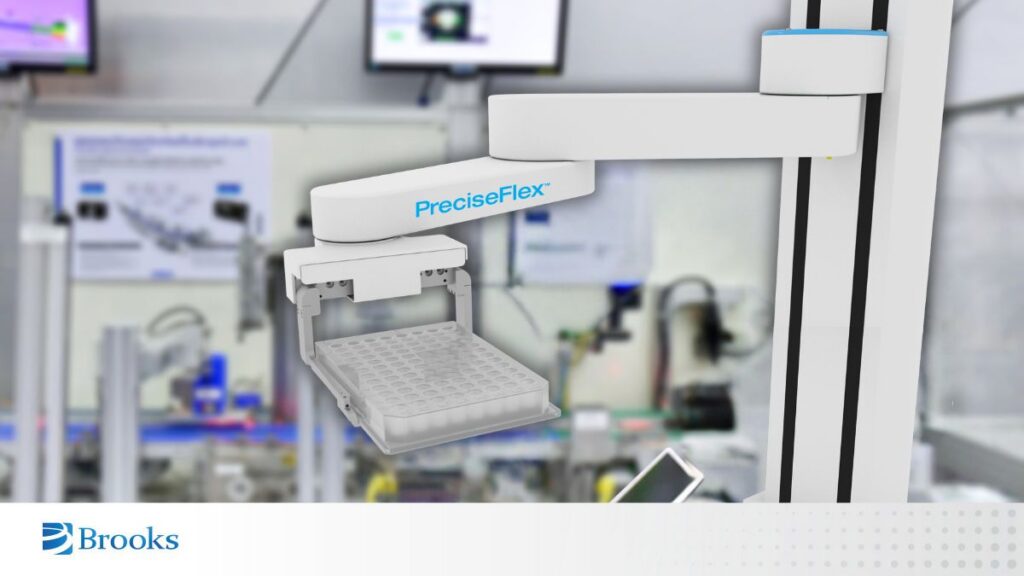
PreciseFlex™ reflects a workspace-dense design approach built for real lab environments. Its vertical, cylindrical reach allows automation to work directly within racks and instruments while operating in tight spaces. Embedded controls reduce overall system footprint, making it easier to add automation without sacrificing bench access or reworking the lab layout.
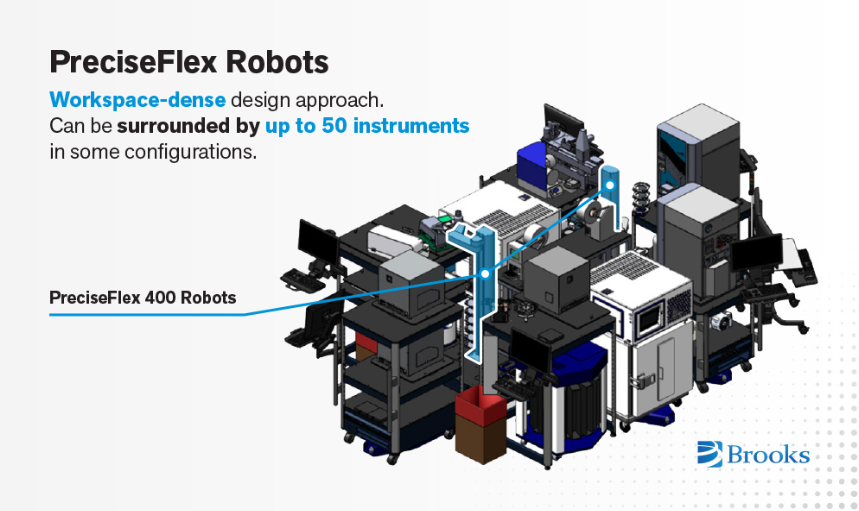
PreciseFlex™ can work with up to 50 instruments in highly dense, low-footprint automated lab configurations.
Vision and Adaptive Handling Prevent Stoppages
Automation that cannot detect and correct small issues may not scale in a live lab. Self-correction is what keeps workflows running day after day.
In real labs, small disruptions happen all the time. They are not failures, but they can stop automation if the system is too rigid.
Common examples include:
- Nests, hotels, or instruments that shift slightly out of position
- Trays that get replaced or rotated
- Runs that pause or restart unexpectedly
If automation expects perfect alignment, small changes quickly cause stoppages and manual intervention.
Capabilities That Prevent Stoppages
Modern lab automation must be able to sense its environment and adjust in real time. Key capabilities that support this include:
- Automatic position adjustment to compensate for small shifts
- Presence and absence confirmation to verify that labware is where it should be
- Barcode reading to confirm sample identity before handling
These systems work well when nothing changes. But in modern labs, change is constant. Assays evolve, instruments are upgraded, and layouts shift to support new workflows or higher throughput.
When automation resists change, costs rise quickly. Even small updates can cause downtime or added engineering work. Legacy automation fails because it was built for a time when workflows stayed the same.
Embedded Vision with IntelliGuide™ Vision
IntelliGuide™ Vision helps automation detect position changes, confirm successful picks, and recover from small handling issues without full reprogramming. Embedded cameras support faster setup and allow workflows to adapt when trays, racks, or layouts shift. This reduces downtime and manual intervention, keeping automation running under normal lab variation.
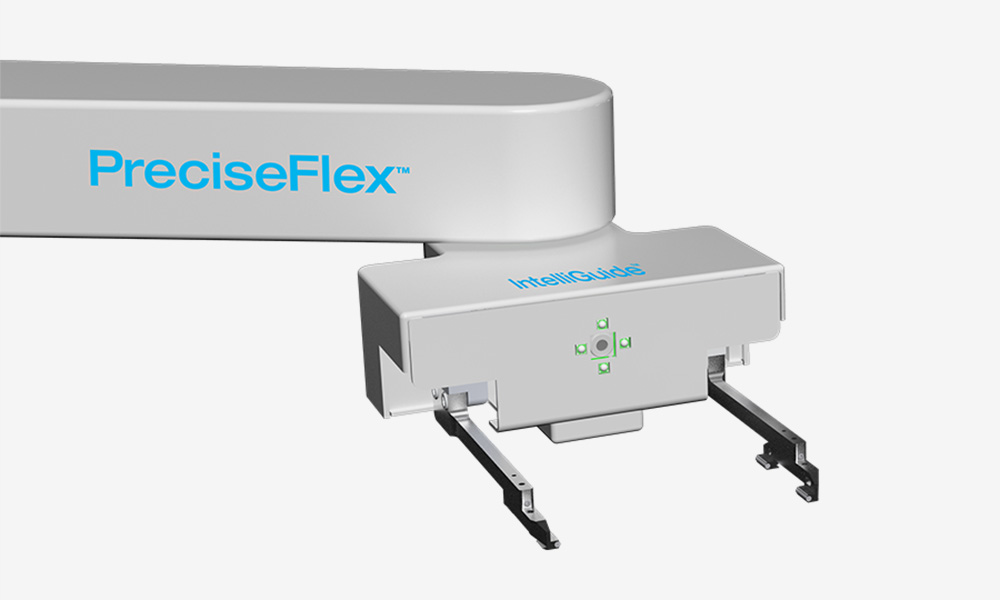
IntelliGuide™ Vision doesn’t require full reprogramming to auto-recover and adjust to changes in dynamic workcells.
Coordinating APIs Turns Devices Into a System
Automation only works as a system when software connects every step. Without open orchestration, even well-designed tools act like isolated devices.
Software must do more than schedule tasks. It needs to orchestrate the full workflow by coordinating timing, movement, and data so each step happens in the correct order.
Effective orchestration includes:
- Coordinating timing between instruments and sample handling
- Tracking system state in real time
- Managing dependencies so steps do not move forward too early
Open integration is equally important. Modern labs depend on multiple systems working together, and automation must connect cleanly without custom workarounds.
Baseline integration expectations include:
- APIs for commands, status updates, and events
- Clean connections to LIMS and ELN systems for IDs and results
Deployment flexibility also matters. Fixed cells suit stable, high-volume workflows, while carts or mobile automation fit better in tight or changing spaces.
Long-term value comes from automation that connects devices into a single, adaptable system. Open orchestration and APIs allow labs to expand and change workflows without being locked into rigid setups.
Open Control Options with PreciseFlex™
PreciseFlex™ is designed to work within different automation environments rather than forcing a single control method. Labs can integrate the robot through APIs, connect it to existing scheduling or workflow software, or use higher-level tools to build applications without custom code.
Brooks’ open-source TCS API enables scheduling software to coordinate and direct robot motions, from simple transfers to more advanced operations. Because it’s open-source the TCS API can be customized using GPL, with both approaches supported within a common development environment. Standard industrial interfaces, including EtherNet/IP and API access, allow PreciseFlex to integrate cleanly into broader automation systems.
What Matters in a Modern Lab Automation System
Modern lab automation works best when it can adapt as workflows change. Systems that are hard to learn or hard to adjust often slow labs down over time. When automation depends on informal know-how, scaling becomes harder and risk increases as teams change.
Automation designed for ease of use reduces that risk. Systems that guide setup, adjust to small changes, and simplify retraining help both staff and robotics adapt as workflows evolve.
When delivered as part of turn-key systems from our integration and OEM partners, PreciseFlex robots support modern lab workflows by reducing handling, improving walkaway time, and keeping samples moving reliably between steps.